Sheet metal design guide: bend radius, flanges, holes and thickness
Quick answer
Use the sheet thickness T as your ruler. Set the inside bend radius to at least 1 × T (1.5 to 2 × T for aluminum 6061). Make flanges at least 4 × T long, and keep holes at least 2.5 × T plus the bend radius away from a bend. Add bend relief wherever a bend ends next to flat material. Keep one thickness per part. MakeNow cuts to ±0.1 mm and bends to ±1°, in thicknesses from 0.5 to 10 mm depending on material.
Get a price for your own file →How is a sheet metal part made?
Most sheet metal parts follow the same path. A fiber laser cuts the flat shape, called the flat pattern, from a sheet. Then a press brake bends it into its final form. After that, hardware such as PEM inserts can be pressed in, holes can be tapped, and the part can be welded and finished with powder coating, anodizing or zinc plating.
Each step has limits, and almost every design rule comes from one of them. The laser is very precise, at ±0.1 mm on MakeNow machines. The press brake is precise too, at ±1° on bend angles, but it needs room for its tooling and it stretches the metal around each bend.
The good news is that the rules are simple, and most scale with one number: the sheet thickness, written as T. Get T right first, and the rest follows. You can see the materials and processes on our sheet metal service page.
What thickness should I choose for my sheet metal part?
Pick the thinnest sheet that is stiff enough. Thinner sheet is cheaper, lighter and easier to bend tightly. If a panel feels too flexible, adding a flange or a bend often stiffens it more than going thicker.
| Material | Thickness range | Best for | From |
|---|---|---|---|
| Mild steel (DC01 / A36) | 0.5 – 10 mm | Brackets, frames, general fabrication | $12 / part |
| Stainless 304 / 316 | 0.5 – 8 mm | Food, outdoor, marine | $18 / part |
| Aluminum 5052 / 6061 | 0.5 – 8 mm | Enclosures, panels, lightweight parts | $14 / part |
| Galvanized steel | 0.5 – 6 mm | Corrosion-resistant economical parts | $13 / part |
| Brass and copper | 0.5 – 4 mm | Electrical, decorative | $20 / part |
As a rough guide, small electronics enclosures often use 1 to 1.5 mm, brackets 2 to 3 mm, and structural frames or base plates 4 mm and up. For bent aluminum, choose 5052: it bends well. 6061 is stronger but more likely to crack on tight bends.
Keep one thickness per part. A bent part is made from a single sheet, so every flange has the same thickness. If you need two thicknesses, it is two parts joined together.
What bend radius should I use?
The inside bend radius is the radius on the inner side of the bend. A radius that is too small can crack the outside of the bend, especially in harder alloys.
- Mild steel, stainless, galvanized: inside radius of about 1 × T is a reliable default.
- Aluminum 5052: 1 × T works well.
- Aluminum 6061: use 1.5 to 2 × T or more to avoid cracking.
- Brass and copper: soft and easy to bend; 1 × T is fine.
Use the same radius for every bend on the part. The same tool can then make all bends in one setup, which is faster and cheaper. In practice, unless the radius matters for function, leave it at the standard value and let the shop pick the matching tool.
Bend lines should also run across the grain of the sheet where possible, which reduces the risk of cracking in harder materials.
How long does a flange need to be?
A flange is the bent leg of the part. During bending, the sheet rests across a V-shaped die. If the flange is too short, it falls into the V and the bend comes out wrong or not at all.
The safe rule is a minimum flange length of 4 × T, measured from the outside of the bend. For a 2 mm sheet that means at least 8 mm. For thick sheet, more is better, because thicker sheet uses wider dies.
Bends also have a maximum length. MakeNow bends parts up to 3000 mm long, and the flat sheet can be up to 3000 × 1500 mm, which covers most cabinets and chassis.
How far should holes be from a bend?
Metal near a bend stretches. A hole placed too close turns into an oval, and a slot can bend out of shape. Keep holes and slots at least 2.5 × T plus the inside bend radius away from the bend line. For a 2 mm sheet with a 2 mm radius, that is about 7 mm.
Other spacing rules for laser-cut features:
- Hole diameter: at least 1 × T. Smaller holes are possible on a laser but get less clean in thick sheet.
- Hole to edge: at least 1 to 1.5 × T, or the edge may bulge when bent or punched.
- Hole to hole: at least 2 × T, so the web between them stays flat.
- Tapped holes and inserts: check the minimum thickness for the thread or PEM insert you choose; thin sheet cannot hold many threads.
If a hole simply must sit close to a bend, it can be cut after bending or extended into a slot that crosses the bend line. Ask before you redesign.
When do I need bend relief cuts?
When a bend stops partway along an edge, the metal next to it does not bend, and it can tear at the corner. A bend relief is a small notch cut at the end of the bend line that lets the bend happen cleanly.
- Width: at least 1 × T.
- Depth: a little past the bend, about the inside radius plus T.
- Corner relief: where two flanges meet at a corner, add a round or square corner relief so the flanges do not collide.
Most CAD sheet metal tools add these reliefs automatically. A common mistake is designing the part as a plain solid and then asking for it in sheet metal: the shop has to redraw it. If you model in sheet metal mode and send a STEP file, the bends, reliefs and flat pattern are all clear. Our STL vs STEP guide explains why.
One more detail about the flat pattern: when metal bends, the outside stretches and the inside compresses, so the flat length is not simply the sum of the flange lengths. CAD tools handle this with a bend allowance or K-factor. You do not need to get this perfect, because the shop adjusts the flat pattern to its own tooling. What matters is that you dimension the finished part, not the flat sheet, and mark which dimensions are critical.
What tolerances can I expect, and what drives the price?
Laser cutting holds ±0.1 mm on cut features, and bending holds ±1° on angles. Dimensions that cross one or more bends add up those small variations, so expect them to be less tight than dimensions on a single flat face. Put your critical holes on the same flat face where you can. More on this in our tolerances guide.
Price depends on material, thickness, part size, the number of bends, hardware, finish and quantity. Fewer bends, one bend radius, and a standard material all help. Here are two real sample parts and their prices:
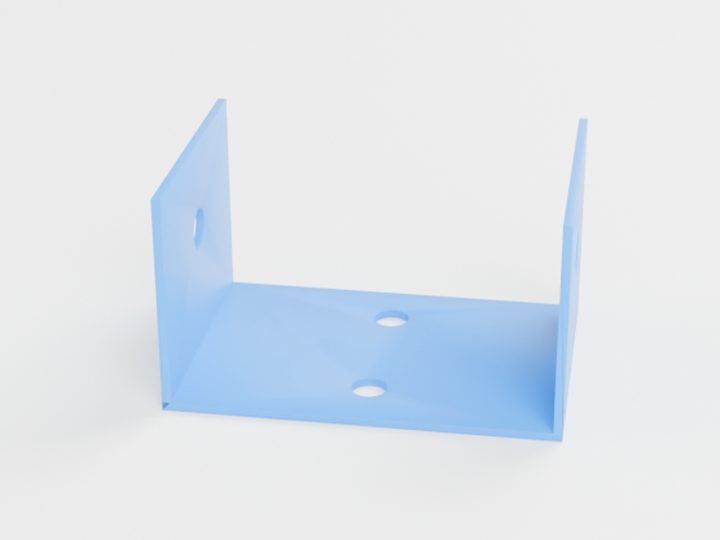
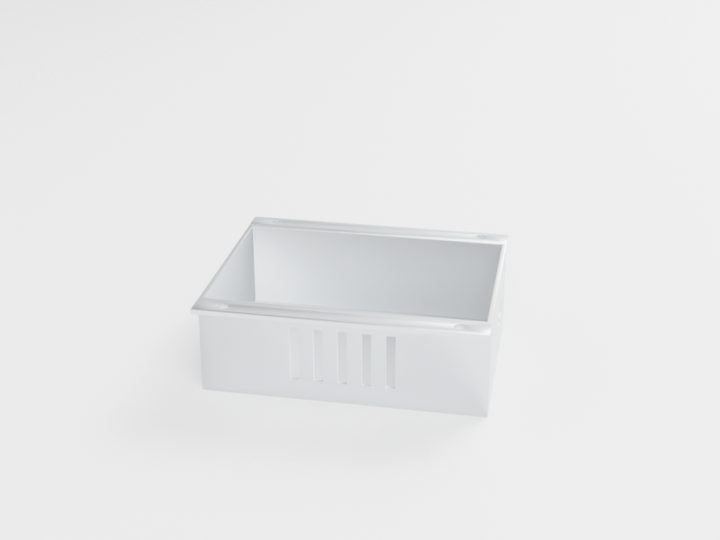
Typical starting prices for the pictured parts. Your exact price is calculated from your own file.
The quickest way to check your design is to upload your STEP or DXF file and get an instant sheet metal price.
Questions people ask
What is the minimum bend radius for sheet metal?
A safe default is an inside radius equal to the sheet thickness for steel, stainless and 5052 aluminum. For 6061 aluminum, use 1.5 to 2 times the thickness to avoid cracking.
What is the minimum flange length?
Design flanges at least 4 times the sheet thickness. Shorter flanges cannot sit across the bending die and may not bend correctly.
Which file should I send for a sheet metal part?
Send a STEP file of the bent part, ideally modeled in your CAD tool's sheet metal mode. A DXF of the flat pattern also works for simple parts.
How accurate are laser-cut and bent parts?
MakeNow laser cuts to ±0.1 mm and bends angles to ±1°. Dimensions across several bends vary more than dimensions on a single flat face.
Ready to make your part?
Upload your file. Price in under a minute. No account needed.
Get my instant quoteSTL · STEP · OBJ · 3MF · DXF · SVG · up to 100 MB